01.
Taakat, a fitness app
A personal app in two halves: a workout tracker for exercises, sets, reps and weight, and a meal log for calories and nutrients.
Live Read the case study ↗Hello, I'm
I build things with AI, then test them until they break.
I build real things with AI tools, then try to break them. Building shows me what a tool can do. Breaking it shows me where it stops.
My fitness app, Taakat, went live after 634 automated checks and 170 break-in tests on its database. Two of its bugs only showed up on my own iPhone, which is why I test on the real device every time.
When something breaks, I report exactly what I saw, with screenshots, and keep going until the cause is found.
I have a diploma in computer programming, but I never worked as a programmer and I don't write code today. I use AI tools the way most people will, without knowing how to work around their gaps. In a tester, that is useful.
Five things I've made with AI tools.
Each one is labelled with the state it's actually in, including the one that isn't finished.
A personal app in two halves: a workout tracker for exercises, sets, reps and weight, and a meal log for calories and nutrients.
Live Read the case study ↗A demo website for a real family business, a film production house in New Delhi. One page with a showreel, a filterable list of projects, services, training and a contact form. It is a demo: the contact details are placeholders and the form doesn't send yet.
Demo Open the site ↗An AI receptionist for a made-up Toronto hair salon. She answers by voice, checks the calendar and books the appointment. One browser call went through end to end: right day, right time, on the calendar and in the sheet.
Not done: it has never taken a real phone call, she promises transfers she can't make, and the calendar check takes 7 to 9 seconds. It isn't running today.
Paused Built with Vapi and n8nBOLT is an imaginary energy drink brand I built for this portfolio. These are two ads for it, each made with a different AI video tool.
An 18-second clip: a car drops into a parking lot, then cycles through four body kits on a hand snap. I generated the footage in Higgsfield. The edit, effects and music were done with AI, under my direction.
Finished HiggsfieldHiring a tester, or want to see one of these builds up close? Email me.
Build 01 · Fitness app
A workout and food app I built with AI, without writing the code myself.
Taakat is a personal app with two tabs. Food shows the calories you have left today, with protein, carbs and fat. Training logs a workout set by set and fills in what you lifted last time.
It installs on a phone's Home Screen from one web address, and works on iPhone, Android and laptop. Sign-up needs an invite code, so it stays private.
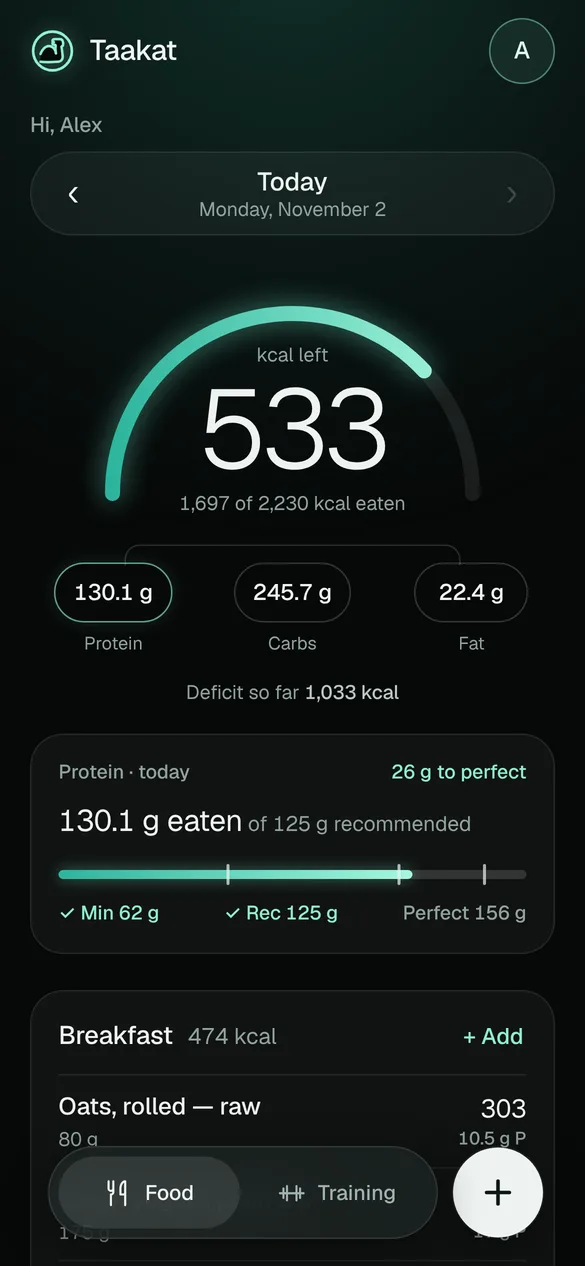
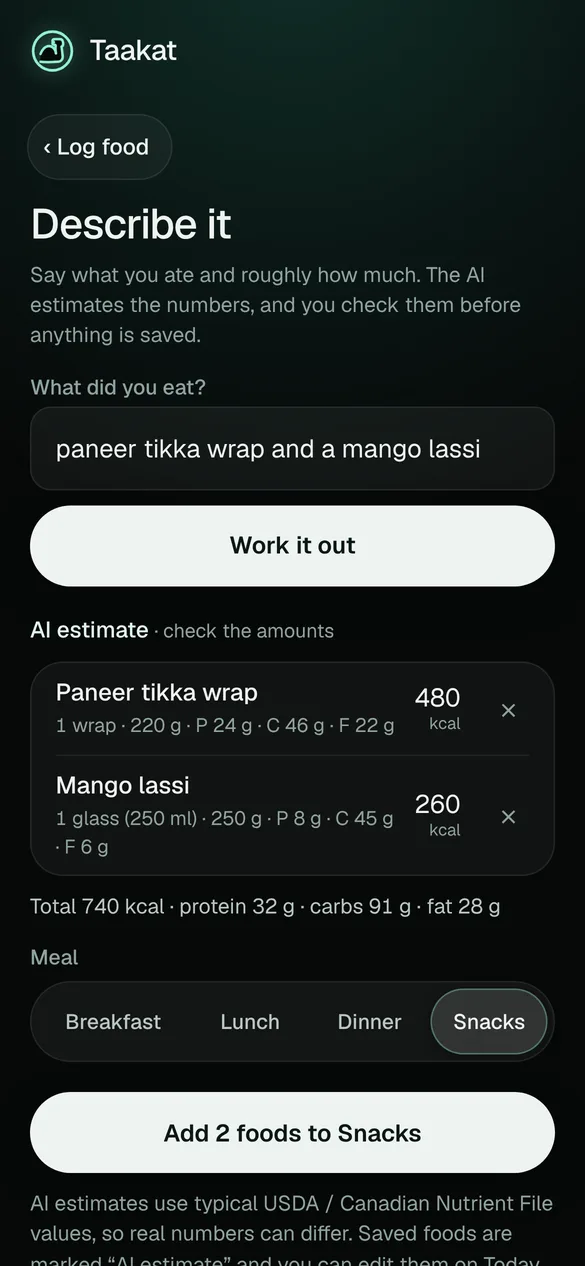
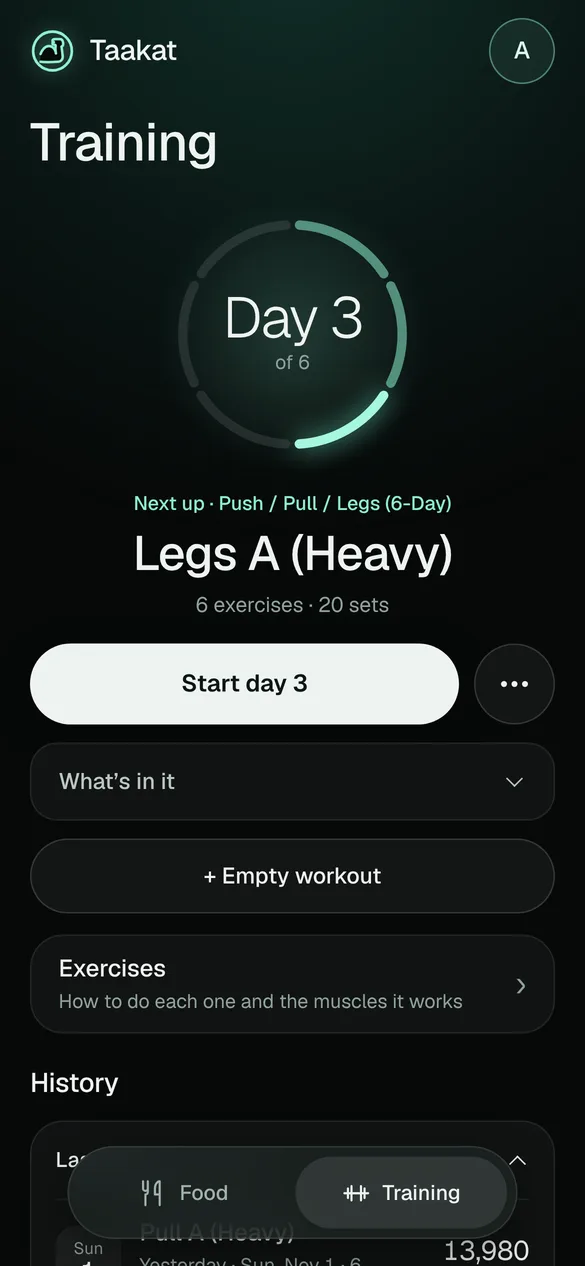
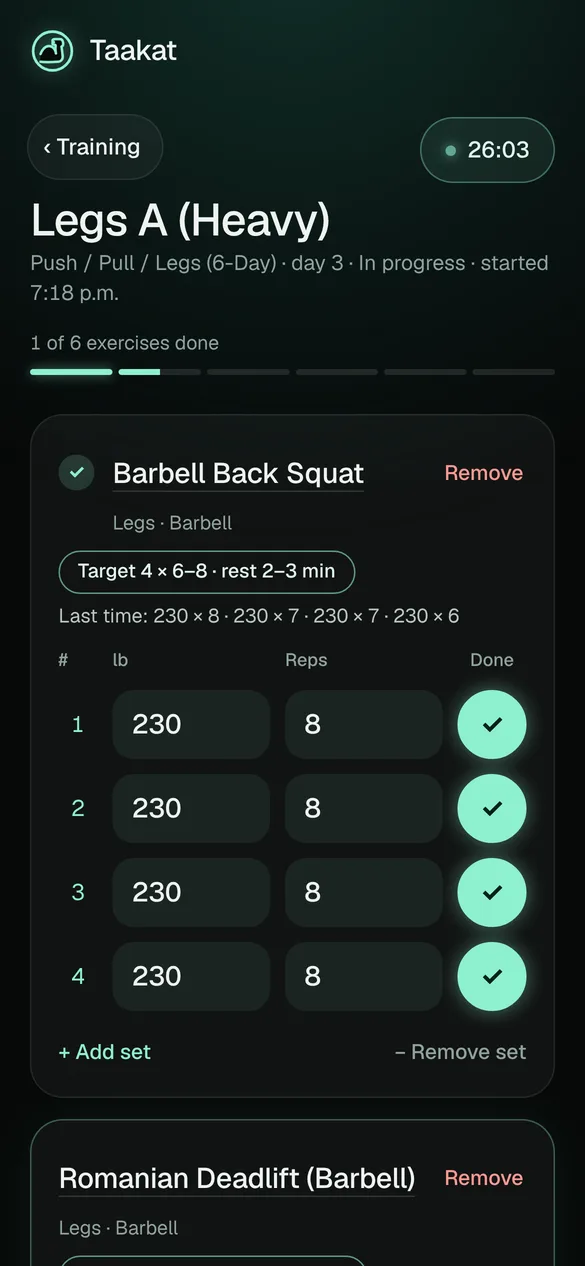
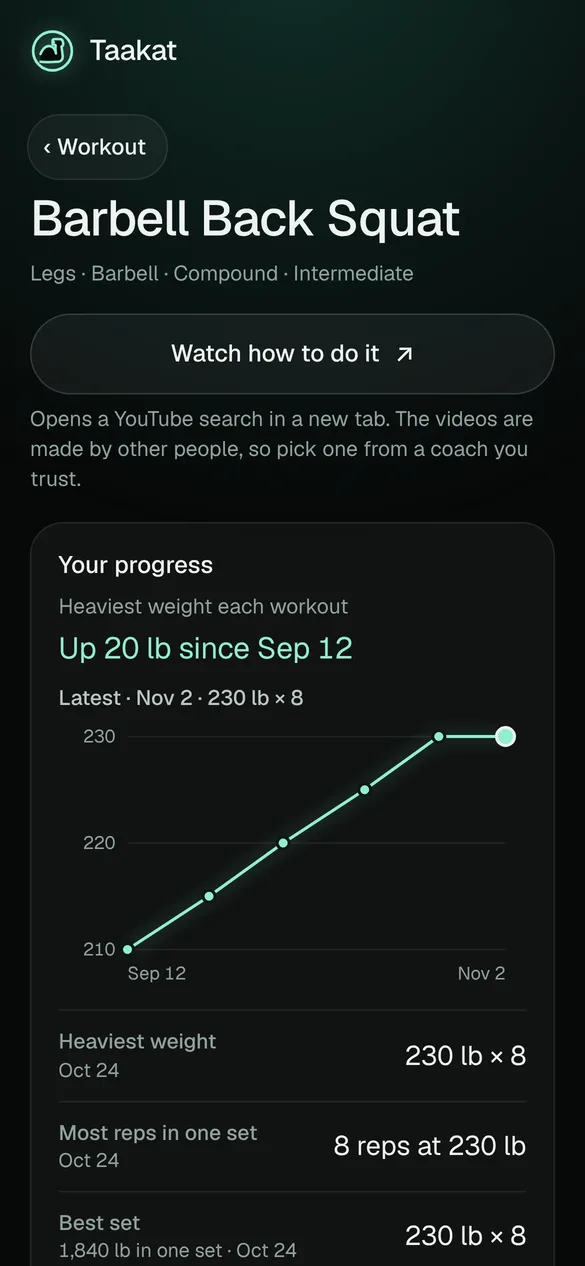
I ran the project. I decided what to build and what to skip, picked the design, did the setup in GitHub and the database myself, and tested every version on my iPhone before it went live. The AI never had my passwords or secret keys.
Before any code, I wrote rules for how the AI had to work with me:
I couldn't check the code myself, so I needed proof that things worked. A change only shipped when every test passed. If a test failed, we fixed the cause, not the test.
They open the app in a hidden browser and use it like a person: log in, log food, start a workout. They run on a fake copy of the database, so real accounts are never touched.
Calorie targets, protein goals, weekly weight change, which workout day comes next, and how AI answers get cleaned up.
Checks that act like an attacker. They try to read other people's rows, change someone else's data and sign up without a code. I ran them on the real database after every database change.
Every version, in Safari and as a Home Screen app. Some bugs only show up on a real phone, and this layer caught them.
We discussed a third AI tool: snap a photo of your plate and get the calories. I rejected it. Guessing portions from a photo is too inaccurate, and wrong numbers are worse than no numbers.
The two AI tools that did ship are labelled every time. An entry says "AI estimate" or "from label (AI)", so you always know where a number came from. The app checks every number the AI returns and drops anything missing or unrealistic.
For each redesign the AI drew two or three full mockups side by side, and I picked one. Nothing got built until I said yes.
Dark, glassy cards. It worked, but felt flat and looked AI-made.
Bold, sporty, all capitals. It had character, but felt loud.
Near-black with a soft mint glow and light, thin numbers. This is the one I kept.
The app is private, so the link opens the login screen. If you'd like to try it, ask me for a demo login.